Cafés, hotels and spas
Keep every space at the right level, switch the atmosphere instantly and make announcements without disturbing the whole venue.
ORVESTRA connects professional multizone audio, presentations and video on TVs, hotel operations, POS and inventory. From music and TTS announcements to reception, extra services and guest accounts — manage your space and daily operations through connected tools.

Built for real spaces
ORVESTRA makes a powerful signal path understandable enough for daily operation while keeping the precision needed for commissioning and live production.
Keep every space at the right level, switch the atmosphere instantly and make announcements without disturbing the whole venue.
Route lessons, presentations, microphones and playback exactly where they are needed—from one clear control surface.
Bring professional routing and processing to a one-off production without buying a permanent licence or building a complex control rig.
Run independent sources in lounges, patios, studios, halls or outdoor areas while keeping one verified DSP path.
ORVESTRA modules
Sources, zones, sound processing and announcements — together in Core.

Operate the whole system
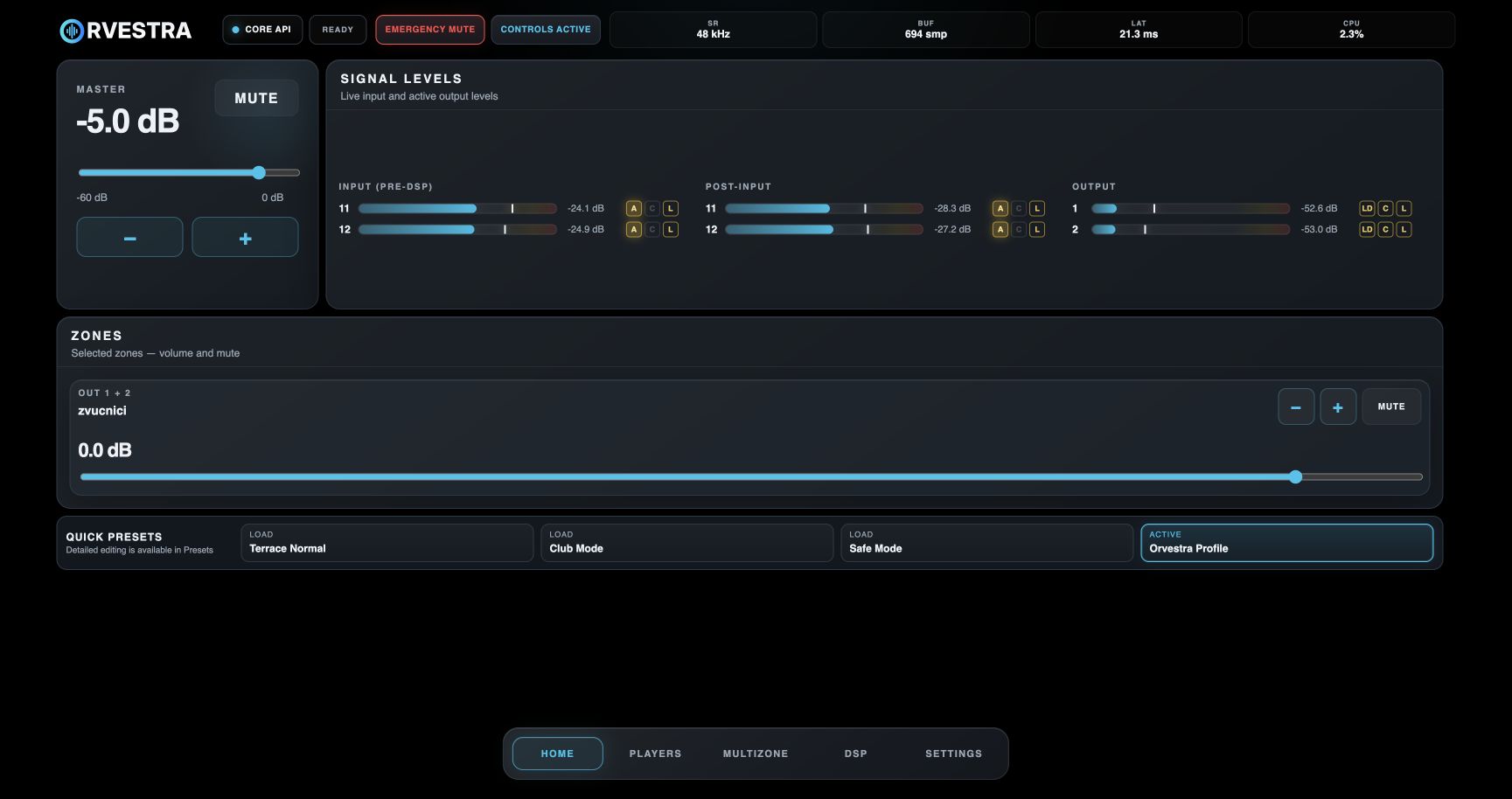
Choose Show on home for the zones you want on your Home screen. Stereo and mono zones have their own volume sliders, while slave outputs retain their relative trim.
Source AGC adjusts Player, App and Line In levels with configurable RMS targets and gain limits. Loudness adapts bass and treble to the listening level. The input A indicator and linked stereo/mono controls show processing activity live.
Repeatable by design
Presets capture the processing that makes a system sound right. Scenes restore how sources, zones and levels should operate for each moment.

Run one player per available zone, choose local MP3 files or a private server playlist, shuffle the cue and route each player through the same zone, DSP and output path.
How it works and what it can do
ORVESTRA turns the audio path into five understandable steps. Choose what plays, where it goes, how it sounds and how the system protects the loudspeakers.
Apps · live inputs · local players · streaming playlists
Assign App or Player to each stereo or mono zone
Send a zone to one or several physical outputs
Input/output EQ · compression · limiting · crossover · delay
Independent rooms, loudspeakers and multichannel outputs
For daily operation: select a scene, adjust a zone or make an announcement. The complex processing stays out of the way.
For system tuning: open the full DSP controls and commission every output with precise routing, filtering, timing, dynamics and protection.
Choose the playlists that suit your venue in advance. Guests select a song from that collection and request playback, helping shape the atmosphere within the rules you set.
ORVESTRA modules
Presentations, live browser tabs and scheduled content on your venue screens.
Video re-stream
Open a PowerPoint presentation in your browser, a web page, quiz results or other tab content and show it on multiple TVs over your existing LAN or WLAN (Wi‑Fi). No HDMI cable runs, splitters or dedicated HDMI infrastructure: Core distributes the picture over the network to compatible TV browsers or connected receiver devices. Pair screens with a PIN, then select a new tab for the next presentation or results without stopping the session, pairing again or manually refreshing the TVs. Enable tab audio sharing in a supported browser to include presentation sound. Screen count and quality depend on the network, Core and receivers.
Remote advertising
Upload media, build playlists, add a ticker and assign content to licensed displays. The same account manages audio and signage — without a separate CMS on site.
Chat enables internal communication through ticker messages. Guest messages appear on screens in the venue alongside advertising content when the administrator enables this feature.
ORVESTRA modules
Reception, housekeeping and guest accounts in one connected workflow.
Hotel management
Reception reserves a room, records guests and handles check-in for overnight stays or day use. Housekeeping takes cleaning tasks and confirms room readiness. Breakfast, extra services and POS consumption become folio charges, followed by payment recording, invoicing and checkout. Setup, Operations, Reception and Accounting provide clearly separated workspaces.
Try the business workflow
Try every workflow and feature of the hotel module before choosing Orvestra.
Request demo access!ORVESTRA modules
Sales, receipts, recipes and stock for everyday venue operations.
POS and inventory
Manage products, price lists, tables, bills, deposits and tips. Connect sales with recipes and stock, and transfer hotel consumption to a room. Review sales and tax reports, goods receipts, transfers and stocktakes within the same business environment.
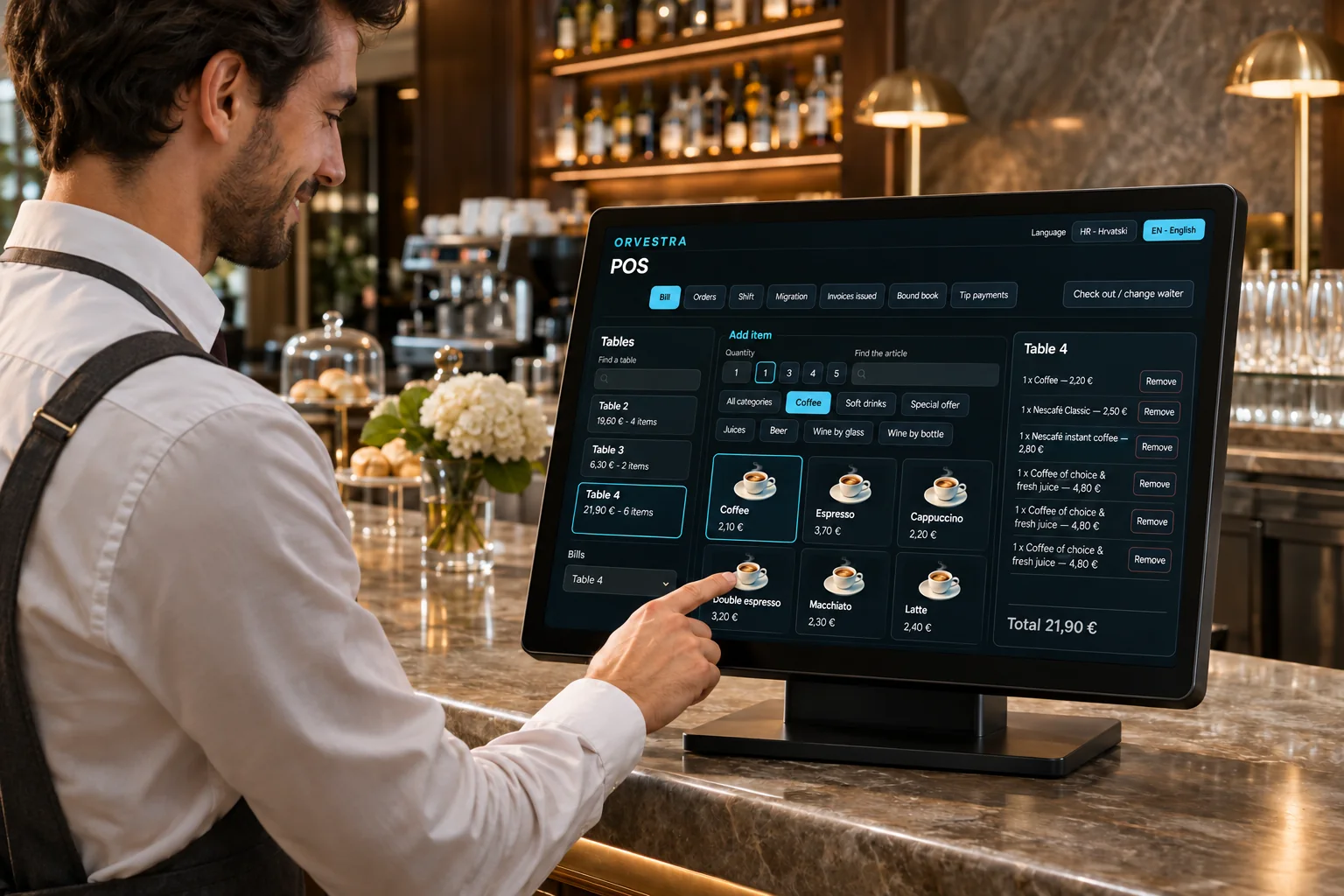
Guests scan their table QR, browse products with photos and prices, and place an order in the app. Each item can include a personal note, such as coffee with cold milk.
ORVESTRA modules
Manage your locations and paired systems through one account.
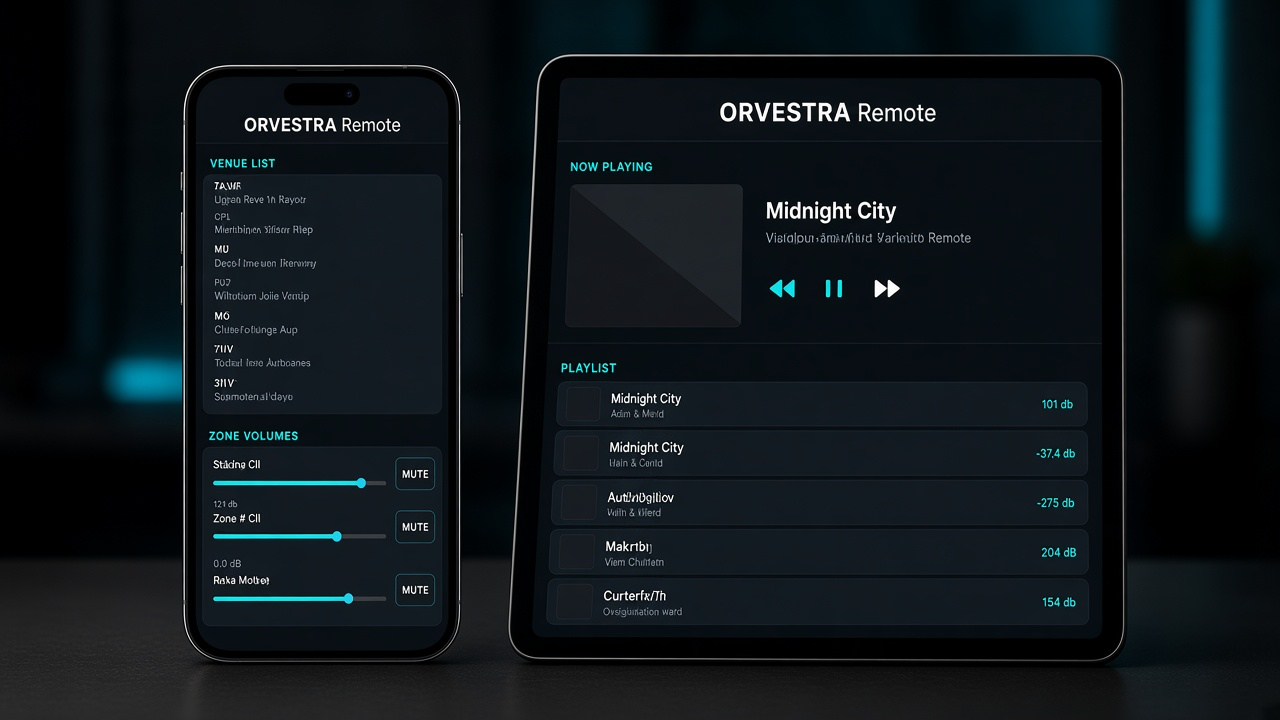
Manage music, volume and zones through the web portal or Orvestra apps for iOS and Android. Scan your system’s QR, approve the phone and keep control close at hand.
ORVESTRA modules
Relay controls, maintained outputs and weekly schedules for each venue.
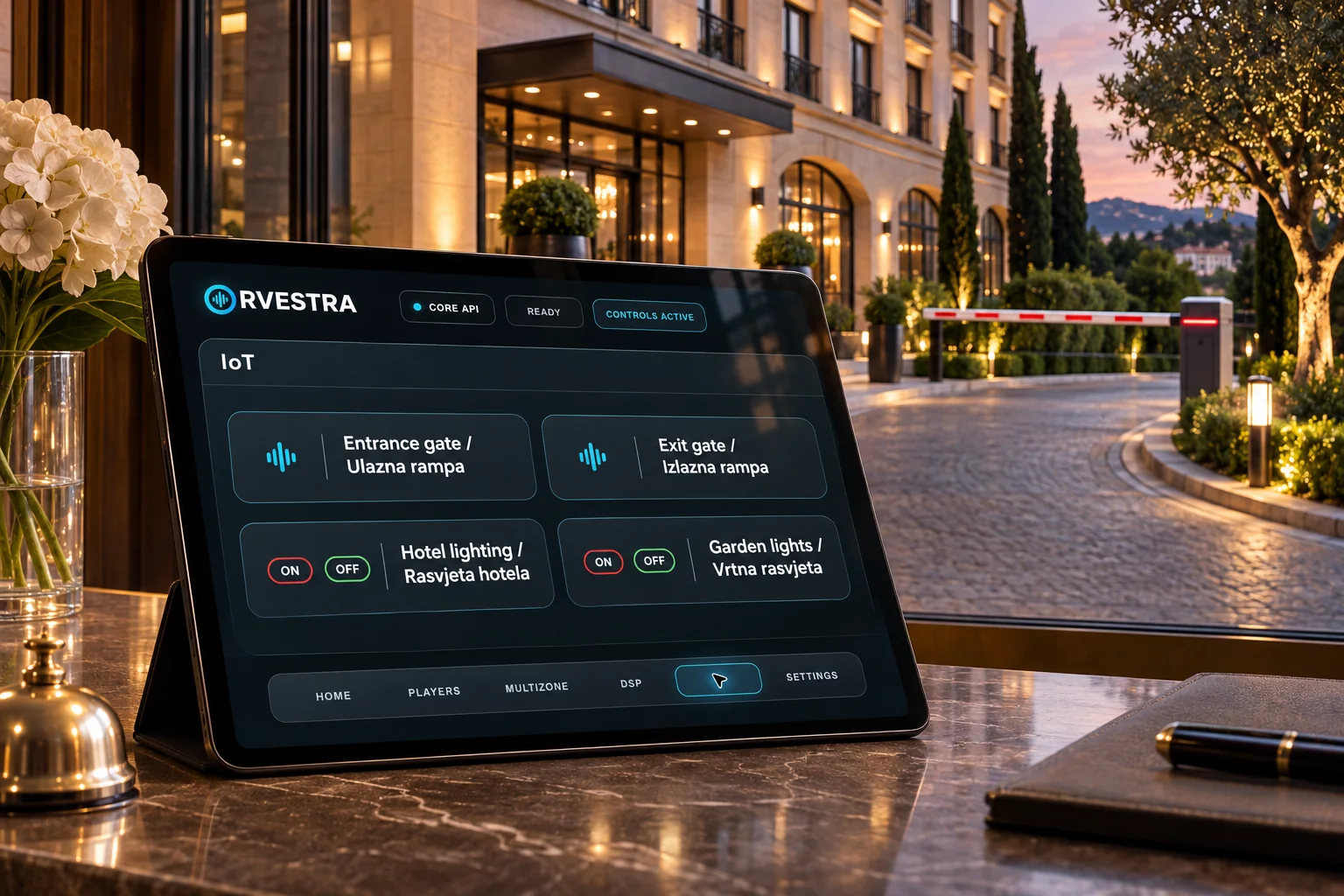
One control surface
Use a dedicated ORVESTRA OS appliance, an installation PC or the Mac already at the venue.
A purpose-built Raspberry Pi 5 appliance image for dedicated installations.
Raspberry Pi 5Native x64 builds for Linux audio systems, with PipeWire application routing and the same ORVESTRA control surface.
Linux x64 · ARM64Four independent application inputs through our own ORVESTRA multichannel virtual audio driver.
Windows x64Four CoreAudio application taps with native-path muting and Apple Silicon support.
Intel & Apple Silicon verifiedLicence options
Prices are before tax. Applicable tax is calculated from the customer's billing location.
$55.90per month
(€50.00 · £41.68)
ECB · 2026-11-03
Before tax · one physical location
A location is one physical venue. Staff and device replacements do not consume an extra place. Additional Core devices do not multiply the included TV, register or reception capacity. Existing licences retain their purchased rights.
USD and GBP are indicative equivalents at the latest available ECB reference rate, refreshed daily. The rate date is shown with the price. Billing is in EUR.
Installers
Choose the installer that matches your platform. macOS packages are signed and notarized; Linux builds include the native runtime and PipeWire audio support.
For Macs with Apple M1, M2, M3, M4 or newer Apple silicon processors.
Download 1.0.86Release 1.0.86 availableFor Macs with an Intel processor. Choose About This Mac if you are unsure which model you have.
Download 1.0.86Release 1.0.86 availableNative ORVESTRA runtime for Debian-compatible x64 systems, with PipeWire application routing and integrated DSP processing.
Download 1.0.86Release 1.0.86 availableNative runtime for 64-bit Raspberry Pi OS and Debian-compatible ARM64 systems, with PipeWire application routing.
Download 1.0.86Release 1.0.86 availableNative application with a multichannel virtual audio driver for per-application routing.
Download 1.0.86Release 1.0.86 availableBrowse the venue’s offer, send orders, use the jukebox and chat, and control your paired Orvestra Core.
1.0.70 · build 75Locked Android web kiosk for a configured Orvestra Core zone. Android 8 or newer; managed-device setup is required for full kiosk locking.
Zone Controll APKOrvestra Zone 0.1.1 · AndroidORVESTRA OS for Raspberry Pi 5Multi-zone audio and venue control on Raspberry Pi 5.
Support
User guides for the main GUI and Users portal, with real screenshots and numbered explanations.
Release 1.0.86 available
Tell us about the venue, the audio interface and the zones you need to control. We will help confirm the right ORVESTRA path.
Discuss your project